


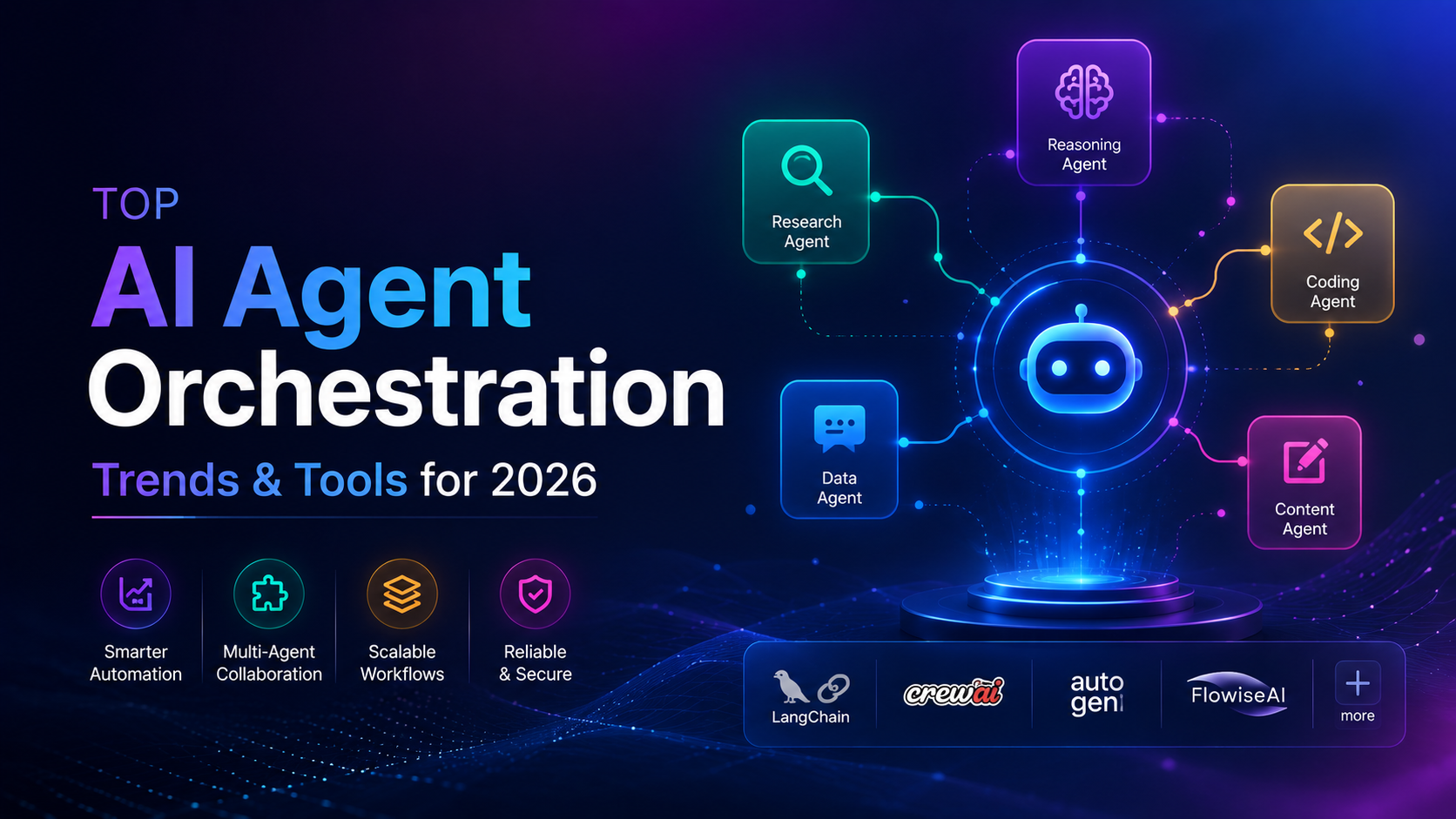
How will software agents transform daily operations across technical teams over the next few years? As smart automation moves beyond single prompts, the focus shifts toward coordinating multi-agent setups that run complete end-to-end workflows. In my daily work building AI agents and web platforms, I see teams moving away from isolated scripts and toward connected systems that manage entire tasks.
Connecting specialized AI assistants across platforms like Slack, Microsoft Teams, and cloud databases helps teams streamline work while keeping human oversight at the center. How will multi-agent setups shape business workflows by 2026? Let us look at what to expect and which tools lead the way.
What is AI agent orchestration? Direct answer: AI agent orchestration is the technical practice of coordinating multiple specialized AI tools and software agents to manage multi-step workflows across databases, communication platforms, and cloud infrastructure.
Understanding how autonomous execution differs from traditional scripts is essential when designing modern systems. If you want a complete breakdown of how basic scripts differ from agent systems, you can read my guide on AI agents vs automations.
From Single Task Automation to Autonomous Workflow Coordination
Single-task AI prompts are giving way to connected networks of specialized software agents. Instead of running isolated scripts for one-off commands, developers are setting up multi-agent networks where each agent handles a specific role.
For example, one agent parses incoming customer requests, another queries a database, and a third drafts a response. This modular approach ensures that each tool stays focused on a single responsibility, which improves accuracy and simplifies troubleshooting.

Why Are Teams Moving Away From Single Prompt Scripts
Single prompts struggle when complex business logic requires multiple steps or external API calls. Breaking large processes into small agent tasks creates several distinct advantages for engineering teams:
- Higher reliability because individual task failures do not break the whole pipeline.
- Easier debugging since developers can inspect intermediate data between steps.
- Better tool access because each agent carries only the specific permissions it needs.
- Flexibility to swap models or update logic for one specific task without rewriting the full pipeline.
How does multi-agent coordination change daily project execution? Direct answer: Multi-agent coordination replaces manual task handoffs with automated data routing between specialized software tools, allowing teams to handle complex processes with minimal manual intervention.
According to research on autonomous software trends, moving from isolated tasks to full workflow management allows software systems to handle operational tasks with minimal supervision.
In my experience building automated workflows, starting with clear boundaries for each agent prevents system loops and unexpected API costs. I recommend defining clear input and output schemas for every agent in your pipeline using strict data validation.
Multi Agent Collaboration Across Workspace Communication Hubs
Modern software agents no longer sit hidden inside isolated terminal windows or separate web dashboards. Instead, they operate directly inside workspace communication hubs like Slack and Microsoft Teams where team members spend their workday.
Bringing smart agents directly into group channels allows human team members to interact with AI tools in real time. Everyone on the team can see agent status updates, review generated outputs, and approve pending actions without leaving their active conversation.
Benefits of Integrating Agents into Team Communication Channels
- Real-time visibility into automated workflows for all team members.
- Faster approvals through interactive buttons and inline thread notifications.
- Lower context switching because team members stay in their primary messaging app.
- Simplified audit trails since conversational logs record every prompt and decision.
How does chatting with an AI agent in Microsoft Teams speed up project approvals? Direct answer: Chatting with an AI agent inside team channels speeds up approvals by sending instant interactive alerts to reviewers, letting them approve tasks directly inside their active conversation.
Industry analysis on shifting agent roles highlights that bringing AI tools into group chats turns silent backend tasks into visible collaboration.
When I integrate AI agents into chat platforms, I set up direct notification channels for system errors. When an agent encounters an edge case, it tags the responsible developer with full debugging context, keeping resolution times short.
Key Operational Tools and Cloud Services for Agent Coordination
Building reliable multi-agent pipelines requires stable cloud infrastructure and structured message routing. Modern developer tools provide the state management and event queues needed to keep multiple agents synchronized.
Platforms like Google Cloud Airflow, Google Cloud Pub/Sub, and event-driven frameworks give developers control over data flow. These services handle message retries, rate limits, and failure recovery when agents process real-time streams.
Core Architecture Components for Multi Agent Infrastructure
- Event Message Queues: Manage asynchronous communication between independent agents without blocking execution threads.
- State Checkpointing: Save intermediate steps so failed workflows resume from the last valid state rather than starting over.
- Unified Context Memory: Provide secure, shared data access across agents while preventing data leaks between distinct workflows.
- API Gateways: Enforce authentication, rate limits, and logging across all external tool integrations.
Which cloud tools work best for building multi-agent software pipelines? Direct answer: Cloud platforms like Google Cloud Airflow and Pub/Sub work best by managing event routing, task retries, and data state between independent software agents.
Insights from SS&C Blue Prism show that connecting cloud messaging services with specialized agent frameworks creates stable pipelines that process data in real time.
Reports on Google Cloud AI agent trends also point out that managing agent state through standard cloud components reduces system downtime and simplifies scaling.
When building state management layers, I prefer using lightweight key-value stores or vector databases depending on whether the agent needs structured operational state or context retrieval. Keeping memory stores modular prevents data corruption.
Human in the Loop Governance and Guardrails
As software agents take on direct execution roles, setting up safety guardrails becomes essential for maintaining reliability. Organizations must enforce human oversight on critical operations, especially when handling financial transactions or sensitive user data.
Balancing execution speed with safety requires strict governance frameworks. Developers must define clear permission limits, explicit approval checkpoints, and continuous monitoring tools across every stage of the pipeline.
Steps to Implement Human in the Loop Guardrails
- Define Approval Thresholds: Require explicit human sign-off for high-impact actions like publishing content or sending emails.
- Implement Rate Limiting: Restrict the maximum number of actions an agent can execute within a specific time window.
- Enforce Schema Validation: Verify that agent outputs conform to strict structured formats before passing data downstream.
- Maintain Audit Logging: Record every agent decision, tool call, and human approval in a central immutable log.

Why is human oversight necessary for autonomous software agents? Direct answer: Human oversight prevents automated errors, protects sensitive data, and ensures smart software systems remain compliant with business rules and quality standards.
According to Deloitte insights on agent value, establishing clear governance rules ensures that automated workflows stay accurate and accountable to company goals.
In my own project architecture, I build fallback modes that pause execution automatically if an agent generates low-confidence outputs. This safeguard gives team leads full control while maintaining high operational throughput.
Follow Owais Abdullah on Google Search & Discover
Add this domain as a preferred source to see new AI engineering, Next.js SaaS, and Digital FTE breakdowns prioritized in your Google Top Stories, AI Overviews, and Discover feed.
Architecture FAQs
Was this article helpful?
Your feedback helps improve our future articles and tutorials.
Discussion & Thoughts
Join the conversation with your perspective