

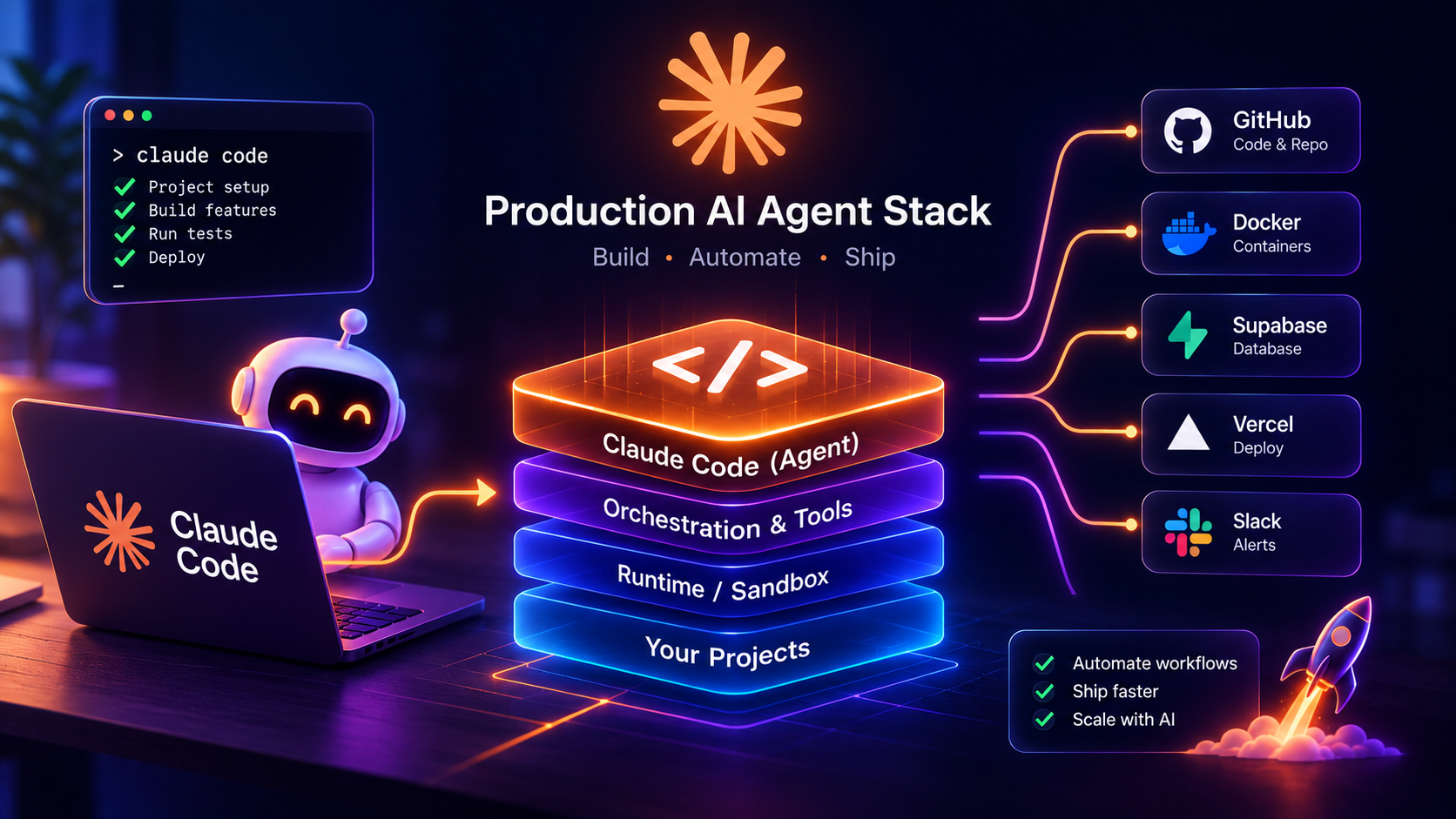
Build a Production AI Agent Stack With Claude Code
Transitioning to Lean Terminal Agents and Native Workflows
Most software teams hit a wall when they try to put early agent prototypes into daily work. I spent months wrestling with bulky web dashboards and multi-agent wrappers that constantly choked on context limits or broke during simple file writes.
Moving to a terminal-driven developer stack changes the entire experience. When your agent runs as a native CLI tool, it works directly where your code lives, reads project structure naturally, and executes commands inside your existing developer environment.
What is a native terminal developer agent? A native terminal developer agent is a CLI program that runs directly on your local machine, reading files, executing shell commands, and managing git branches without an external web wrapper.
Why are developers moving away from complex multi-agent frameworks? Developers avoid heavy agent frameworks because they add extra abstraction layers, increase latency, create fragile state sync issues, and hide low-level command errors.
A discussion on What is your full AI Agent stack in 2026? reflects this exact shift across the software community. Teams are discarding bloated orchestration libraries and returning to clean, scriptable developer tools that respect standard UNIX principles.
Here is why native terminal agents outperform heavy UI wrappers:
- Direct file access: The agent reads and writes directly to local project paths without cloud syncing layers.
- Shell integration: It runs your existing package managers, test runners, and linters natively.
- Zero proxy latency: You connect directly to model APIs rather than routing through slow third-party web backends.
- Version control awareness: The agent inspects git diffs and status flags before touching code.
If you are currently evaluating your development toolchain, understanding how agentic workflows differ from basic scripts helps clarify where autonomous developer tools fit into your overall system.
Optimizing Costs with Tier-Based Model Routing
Sending every single prompt to a flagship model burns through your API budget in a matter of days. I regularly see teams send basic file listings, commit message formatting, and simple regex checks to high-end reasoning models that cost twenty times more than necessary.
[Image: Developer writing code on multiple computer screens - Processing error: 404 Client Error: Not Found for url: https://images.pexels.com/hiring/photos/574071/pexels-photo-574071.jpeg]
A disciplined production stack uses tier-based model routing. You classify incoming developer tasks by required cognitive depth, then dispatch each prompt to the exact model tier that handles it best.
How does tier-based model routing reduce operational costs? Model routing sends simple tasks like file sorting and syntax formatting to cheap, fast models while preserving expensive reasoning models for complex architectural design, cutting inference costs by up to 70%.
Which tasks should you route to smaller models? Small models handle commit message generation, file path parsing, test assertion checks, lint error fixes, and initial intent classification.
I organize my daily engineering tasks into three distinct model tiers:
- Tier 1 (Lightweight Utility): Small, rapid models handle syntax corrections, git commit drafting, docstring updates, and JSON schema validation.
- Tier 2 (Standard Workhorse): Balanced mid-tier models manage single-file refactoring, writing unit tests, and debugging specific runtime errors.
- Tier 3 (Deep Reasoning): Advanced models handle multi-file architectural planning, complex database schema design, and security vulnerability audits.
Here is how you can set up a routing decision tree in your local scripts:
- Analyze task input: Run a fast regex or micro-model pass to check if the request is read-only or single-file.
- Check token load: If the prompt requires ingesting over 50,000 tokens of reference material, route to models optimized for high-context retrieval.
- Assign execution engine: Dispatch the prompt to the selected API endpoint and return results directly to your shell.
- Fall back on failure: If a lightweight model fails validation checks twice, promote the task automatically to the next tier.
This routing hierarchy keeps your response times snappy and prevents expensive billing surprises at the end of the month.
Enforcing Guardrails with Custom Hooks and Deterministic Control
Giving an autonomous agent access to a local terminal requires strict boundary controls. If you rely solely on system prompts to tell an AI not to touch sensitive files, you will eventually face accidental overwrites or unwanted shell commands.
Prompts are probabilistic guidelines, not hard rules. Claude Code hooks solve this problem by introducing deterministic shell scripts that run before and after tool calls.
What are Claude Code hooks? Claude Code hooks are deterministic shell commands that run at set lifecycle events, such as before a tool call or after a file edit, ensuring rules execute regardless of model output.
How do custom hooks protect your local file system? Custom hooks intercept file write and shell execution tools to block modifications to critical files like environment variables, prevent accidental file deletion, and verify formatting before changes persist.
As highlighted in Claude Code Hooks: Automate Your AI Coding Workflow, hooks sit directly between the agent and your operating system. They evaluate tool parameters in real time and can halt an action instantly with a non-zero exit code.
Here are the key lifecycle events you should configure in your project settings:
- PreToolUse: Intercepts commands before execution to verify arguments and enforce permission checks.
- PostToolUse: Runs formatters, linters, or test suites immediately after a file modification occurs.
- SessionStart: Loads workspace rules, environment checks, and branch requirements when you open a session.
- SessionEnd: Cleans up temporary artifacts, generates session summaries, and stages git changes.
I use deterministic hooks to enforce these non-negotiable workspace rules:
- Block modifications to
.env,.git, and lockfiles without explicit human approval. - Reject shell commands containing dangerous flags like recursive forced file deletions.
- Automatically run Prettier and ESLint on every edited file before the agent reports completion.
- Prevent automated git commits if the local test suite fails.
This setup gives the agent autonomy to write code while giving you absolute confidence that your workspace remains safe.
Managing State and Context Without Prompt Pollution
Context window degradation is one of the most common failure points in long-running agent sessions. When an agent dumps full file contents, massive terminal logs, and repetitive chat turns into active memory, its reasoning accuracy drops noticeably.
Managing state cleanly requires separating long-term reference data from active operational prompts. You should store project knowledge in structured local markdown files and load them strictly on demand.
How do you manage agent state without polluting active prompts? You store persistent state in local SQLite databases, structured JSON logs, or markdown project guides, loading specific context files only when required by active subtasks.
Why does context window degradation happen in long agent runs? Long sessions accumulate noisy shell outputs, repetitive file reads, and irrelevant conversation turns, which dilute the attention mechanism of the model and cause hallucinations.
I keep my project context lightweight by following these file-based storage practices:
- Workspace Guides: Keep a concise
CLAUDE.mdin your project root containing build scripts, test commands, and coding standards. - Task Logs: Write active subtask progress into a local scratchpad file so the agent reads only current status rather than entire chat histories.
- Structured Transcripts: Log full tool inputs and outputs to local JSONL files for post-run auditing without keeping them in active memory.
- Vector Lookups: Use local embeddings for large codebases so the agent pulls only relevant code snippets rather than full repository trees.
Here is a simple structure for your workspace guide:
- Project Overview: Two sentences explaining the application core and primary runtime dependencies.
- Common Commands: The exact commands to install packages, run dev servers, and execute unit tests.
- Code Standards: Three or four strict conventions regarding file naming, typing rules, and state management.
- Protected Paths: Explicit paths that the agent must never edit directly.
By keeping your active context small and focused, your developer agent runs faster and makes fewer logical mistakes.
Building Reliable Automation Pipelines for the Future
Taking an AI agent stack from a local CLI experiment into an automated team workflow requires strict process isolation. When agents run in continuous integration pipelines or automated background jobs, they need clear boundaries and predictable runtime environments.
I treat automated agent runs like independent child processes. Each task gets a fresh environment, specific file access limits, and a clean git branch to prevent accidental conflicts with active development work.
What are the essential security steps for production agent pipelines? Essential security steps include running processes in sandboxed subshells, sanitizing parent environment variables, requiring user approval for remote git pushes, and using file locks.
How do you measure the return on investment of an automated agent stack? You measure return on investment by tracking developer task completion times, pull request review cycles, bug reduction rates, and net token expenses per shipped feature.
Here is a production checklist for running developer agents in automated pipelines:
- Process Isolation: Run background agent tasks inside disposable Docker containers or isolated virtual environments.
- Credential Masking: Pass only task-specific API tokens and avoid exposing root credentials to child processes.
- Branch Protection: Force all automated code edits to push to isolated feature branches rather than main branches.
- Automated CI Verification: Trigger standard linting, static analysis, and end-to-end test suites on every agent pull request.
- Cost Limits: Configure hard token caps per task run to prevent recursive runaway loops.
Adopting this lean terminal setup transforms how you build software. By combining native CLI developer tools, intelligent model routing, deterministic lifecycle hooks, and clean context management, you build an AI developer stack that remains fast, secure, and cost-effective across every project.
Follow Owais Abdullah on Google Search & Discover
Add this domain as a preferred source to see new AI engineering, Next.js SaaS, and Digital FTE breakdowns prioritized in your Google Top Stories, AI Overviews, and Discover feed.

Owais Abdullah
Web & AI Engineer · Founder @ Octively
Spec-driven developer and AI engineer. Founder of Octively, building Next.js SaaS platforms, autonomous Digital FTEs (AI employees), and production-ready intelligent workflows.
Recent Posts

Context Memory Systems for Multi Agent AI Workflows: Architecture & Best Practices
Sep 27, 2026
AI Agent Over-Engineering: Simple Workflows vs 30-Agent Architectures
Sep 26, 2026
Stop AI Agent Overengineering and Use Simple Workflows
Sep 25, 2026
Jev System One Model: Cut AI Classifier Latency and Costs
Sep 24, 2026
Did you find this article helpful?
Questions I get
Frequently Asked Questions
Discussion & Thoughts
Join the conversation with your perspective